Microsoft 365 — Latest News and Analysis
Microsoft 365 represents a significant evolution in Microsoft’s approach to productivity software and services. Originally launched as Office 365 in 2011, the platform has grown from a collection of online versions of familiar Office applications to a comprehensive suite encompassing desktop software, cloud-based storage, communication tools, and a range of enterprise-level services.
At its core, Microsoft 365 aims to provide a unified and constantly updated ecosystem for individuals, businesses, and educational institutions. But is this ubiquitous platform the right choice for you?
Our comprehensive review delves into the key features, subscription options, advantages, and, importantly, the criticisms and concerns surrounding this platform, including a closer look at its evolving subscription model and addressing growing security concerns.
Facing increasing competition and evolving user needs, Microsoft 365 presents both powerful capabilities and significant drawbacks. Building upon the foundation of the traditional Microsoft Office suite (Word, Excel, PowerPoint, Outlook), the platform extends its functionality through cloud integration.
This shift allows for greater accessibility and collaboration, using a subscription-based model that emphasizes ongoing feature updates and support. The inclusion of services like OneDrive, Teams, and SharePoint, alongside familiar desktop applications, positions Microsoft 365 as a central hub.
Key Features and Capabilities
Microsoft 365’s expansive feature set can be broadly categorized into desktop applications, mobile and web applications, online services, and enterprise-level server solutions. Each component plays a distinct role in the overall ecosystem, catering to different user needs and work styles.
Desktop Applications
The foundation of Microsoft 365 remains the suite of desktop applications, many with a long history dating back to the original releases of Microsoft Office for Windows in 1990 and classic Mac OS in 1989.
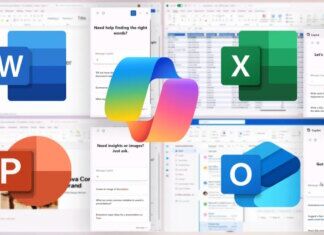
These include Microsoft Word, used by writers, students, and professionals alike for creating and editing everything from simple letters to complex reports; Microsoft Excel, essential for accountants, analysts, and anyone needing to manage and analyze data using spreadsheets, pivot tables, and macros; Microsoft PowerPoint, the go-to presentation program for creating slideshows for business meetings, educational lectures, and more; and Microsoft Outlook, a personal information manager handling email, calendar, tasks, and contacts, often used as the central communication hub in many organizations.
Microsoft OneNote, a versatile note-taking application, allows users to gather handwritten or typed notes, drawings, and screen clippings, and share them across devices.
For Windows users, Microsoft Publisher provides desktop publishing capabilities, and Microsoft Access offers a database management system. While these applications have undergone significant updates, their core functionalities remain central to many users’ workflows. Importantly, Access and Publisher are exclusive to PC, highlighting a key difference in platform availability.
Beyond the Core: Mobile and Web Applications
Beyond the core desktop applications, Microsoft 365 extends its reach with a suite of mobile and web-based tools, increasing accessibility and flexibility. These applications, available on iOS, Android, and through web browsers, offer a subset of the functionality found in their desktop counterparts.
While initially requiring a Microsoft 365 subscription for full editing capabilities, basic editing and document creation are now freely available for personal use on smaller-screened devices. This strategic move broadened the accessibility of core productivity tools like Word, Excel and Powerpoint.
Beyond these, Microsoft 365 also includes mobile apps like Forms (for creating surveys and quizzes), Bookings (for scheduling appointments), and Delve (for discovering relevant information within an organization).
The integrated Microsoft Office app, introduced in February 2020, consolidates Word, Excel, and PowerPoint into a single mobile application, streamlining the user experience.
Online Services: Expanding the Ecosystem
A key differentiator for Microsoft 365 is its extensive suite of online services, moving beyond traditional desktop software and into the realm of cloud-based collaboration and communication. Outlook.com, originally launched as Hotmail in 1996, provides webmail, calendar, and contact management, serving as a personal information hub for many users.
OneDrive offers cloud-based file storage and synchronization, allowing users to access their files from anywhere with an internet connection – a crucial feature for remote work and collaboration.
Microsoft Teams, a business communication platform, has become increasingly central to Microsoft 365, particularly with the discontinuation of Skype for Business Online in 2021. Teams provides chat, video conferencing, file sharing, and application integration, facilitating team collaboration and often serving as a central hub for project management.
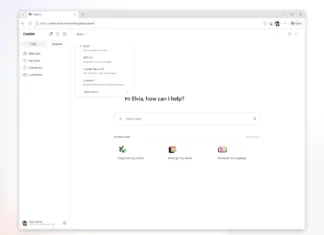
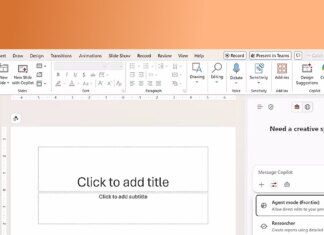
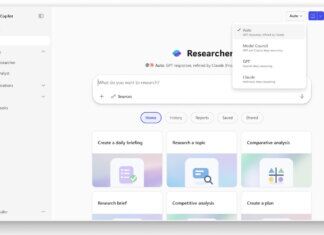
Other online services include Microsoft Copilot (an AI assistant designed to enhance productivity), To Do (a task management application for organizing personal and work tasks), Clipchamp (a user-friendly video editor), Skype (for instant messaging and VoIP calls), and Microsoft Family Safety (providing parental controls and screen time management). These integrated services contribute to a more cohesive and versatile user experience.
Enterprise Servers and Services: Powering Business Collaboration
For businesses and large organizations, Microsoft 365 offers a range of server-side solutions that extend its capabilities far beyond individual productivity.
Exchange Server, the foundation of many corporate email systems, provides robust email and calendaring capabilities, often integrated with Outlook. SharePoint offers a web-based collaborative platform used for document management, intranet portals, and team sites, facilitating information sharing and knowledge management within organizations.
The Microsoft Power Platform, encompassing Power BI (for business intelligence and data visualization), Power Automate (for workflow automation), and PowerApps (for low-code application development), enables businesses to streamline processes and gain deeper insights from their data.
Viva Engage (formerly Yammer), an enterprise social networking service, facilitates internal communication and helps build a sense of community within large organizations. These enterprise services represent a significant portion of Microsoft 365’s value proposition, particularly for organizations seeking to enhance collaboration, communication, and data management.
Microsoft 365 offers a diverse range of subscription plans tailored to different user segments, from individual consumers to large enterprises. These plans vary significantly in terms of included applications, services, storage capacity, and, crucially, pricing. Understanding the nuances of each plan is essential for selecting the option that best aligns with specific needs and budget.
Microsoft 365 subscriptions are broadly categorized into Consumer, Small Business, Enterprise, and Education plans. Consumer plans, like Microsoft 365 Personal and Family, cater to individual users and households, providing access to core Office applications, OneDrive storage, and Skype calling minutes.
Small Business plans are designed for organizations with up to 300 users, offering a blend of desktop and web applications, along with business-centric services such as Exchange, Teams, and SharePoint.
Enterprise plans target larger organizations, delivering advanced features, enhanced security controls, and compliance tools to meet the demands of complex IT environments. Education plans provide similar functionality, but are tailored to the unique requirements of schools and universities, often at discounted rates.
Access to these plans are controlled through either a personal Microsoft account or a work/school account, managed by Azure Active Directory.
Comparison of Microsoft 365 Plans
| Feature | Microsoft 365 Personal | Microsoft 365 Family | Microsoft 365 Apps for Business | Microsoft 365 Business Basic | Microsoft 365 Business Standard | Microsoft 365 Business Premium | Microsoft 365 Apps for Enterprise | Office 365 Enterprise E1 | Office 365 Enterprise E3 | Office 365 Enterprise E5 | Microsoft 365 Education A1 | Microsoft 365 Education A3 | Microsoft 365 Education A5 | Microsoft 365 F1 | Microsoft 365 F3 |
|---|---|---|---|---|---|---|---|---|---|---|---|---|---|---|---|
| Max Users | 1 | Up to 6 | 300 | 300 | 300 | 300 | Unlimited | Unlimited | Unlimited | Unlimited | Unlimited | Unlimited | Unlimited | Unlimited | Unlimited |
| Commercial Use | No | No | Yes | Yes | Yes | Yes | Yes | Yes | Yes | Yes | No | No | No | Yes | Yes |
| PC App Access | |||||||||||||||
| Word | Yes | Yes | Yes | WebApp only | Yes | Yes | Yes | WebApp only | Yes | Yes | WebApp only | Yes | Yes | WebApp only | WebApp only |
| Excel | Yes | Yes | Yes | WebApp only | Yes | Yes | Yes | WebApp only | Yes | Yes | WebApp only | Yes | Yes | WebApp only | WebApp only |
| PowerPoint | Yes | Yes | Yes | WebApp only | Yes | Yes | Yes | WebApp only | Yes | Yes | WebApp only | Yes | Yes | WebApp only | WebApp only |
| Outlook | Yes | Yes | Yes | WebApp only | Yes | Yes | Yes | WebApp only | Yes | Yes | WebApp only | Yes | Yes | WebApp only | WebApp only |
| OneNote | Yes | Yes | Yes | WebApp only | Yes | Yes | Yes | WebApp only | Yes | Yes | WebApp only | Yes | Yes | WebApp only | WebApp only |
| Publisher | Yes | Yes | Yes | No | Yes | Yes | Yes | No | Yes | Yes | No | Yes | Yes | No | No |
| Access | Yes | Yes | Yes | No | Yes | Yes | Yes | No | Yes | Yes | No | Yes | Yes | No | No |
| Mac App Access | |||||||||||||||
| Word | Yes | Yes | Yes | WebApp only | Yes | Yes | Yes | WebApp only | Yes | Yes | WebApp only | Yes | Yes | WebApp only | WebApp only |
| Excel | Yes | Yes | Yes | WebApp only | Yes | Yes | Yes | WebApp only | Yes | Yes | WebApp only | Yes | Yes | WebApp only | WebApp only |
| PowerPoint | Yes | Yes | Yes | WebApp only | Yes | Yes | Yes | WebApp only | Yes | Yes | WebApp only | Yes | Yes | WebApp only | WebApp only |
| Outlook | Yes | Yes | Yes | WebApp only | Yes | Yes | Yes | WebApp only | Yes | Yes | WebApp only | Yes | Yes | WebApp only | WebApp only |
| OneNote | Yes | Yes | Yes | WebApp only | Yes | Yes | Yes | WebApp only | Yes | Yes | WebApp only | Yes | Yes | WebApp only | WebApp only |
| Mobile App Access | |||||||||||||||
| Word | Yes | Yes | Yes | Yes | Yes | Yes | Yes | Yes | Yes | Yes | Yes | Yes | Yes | Yes | Yes |
| Excel | Yes | Yes | Yes | Yes | Yes | Yes | Yes | Yes | Yes | Yes | Yes | Yes | Yes | Yes | Yes |
| PowerPoint | Yes | Yes | Yes | Yes | Yes | Yes | Yes | Yes | Yes | Yes | Yes | Yes | Yes | Yes | Yes |
| Outlook | Yes | Yes | Yes | Yes | Yes | Yes | Yes | Yes | Yes | Yes | Yes | Yes | Yes | Yes | Yes |
| OneNote | Yes | Yes | Yes | Yes | Yes | Yes | Yes | Yes | Yes | Yes | Yes | Yes | Yes | Yes | Yes |
| Forms | Yes | Yes | No | Yes | Yes | Yes | No | Yes | Yes | Yes | Yes | Yes | Yes | Yes | Yes |
| Bookings | Yes | Yes | No | Yes | Yes | No | No | No | Yes | Yes | No | Yes | Yes | No | No |
| Delve | Yes | Yes | No | Yes | Yes | Yes | No | Yes | Yes | Yes | Yes | Yes | Yes | Yes | Yes |
| OneDrive | Yes | Yes | Yes | Yes | Yes | Yes | Yes | Yes | Yes | Yes | Yes | Yes | Yes | Yes | Yes |
| Teams | No | No | Yes | Yes | Yes | Yes | Yes | Yes | Yes | Yes | Yes | Yes | Yes | Yes | Yes |
| SharePoint | No | No | Yes | Yes | Yes | Yes | Yes | Yes | Yes | Yes | Yes | Yes | Yes | Yes | Yes |
| Skype | Yes | Yes | No | No | No | No | No | No | No | No | No | No | No | No | No |
| To Do | Yes | Yes | Yes | Yes | Yes | Yes | Yes | Yes | Yes | Yes | Yes | Yes | Yes | Yes | Yes |
| Viva Engage | No | No | No | No | No | No | No | Yes | Yes | Yes | No | No | No | Yes | Yes |
| Key Online Services | OneDrive, Skype | OneDrive, Skype, Family Safety | OneDrive | OneDrive, Exchange, Teams, SharePoint, Forms, Visio | OneDrive, Exchange, Teams, SharePoint, Forms, Visio | As Standard, plus Azure AD P1, Intune, Defender | OneDrive | Exchange, Teams, SharePoint | Exchange, Teams, SharePoint | Exchange, Teams, SharePoint | Exchange, Teams, SharePoint | Exchange, Teams, SharePoint | Exchange, Teams, SharePoint | Teams, SharePoint | Teams, SharePoint |
| OneDrive Storage | 1 TB | 1 TB/user | 1 TB | 1 TB | 1 TB | 1 TB | 1 TB | 1 TB | Unlimited | Unlimited | 1 TB | Unlimited | Unlimited | 2 GB | 2 GB |
| Email Inbox Size | 50 GB | 50 GB | N/A | 50 GB | 50 GB | 50 GB | N/A | 50 GB | 100 GB | 100 GB | 50 GB | 100 GB | 100 GB | 2 GB | 2 GB |
| Key Differentiators | Ideal for individual use | Best for families | Core Office apps only | Basic online services | Standard business features | Advanced security & management | Core apps for large enterprises | Basic enterprise features | Enhanced security | Premium security & compliance | Basic features for education | Enhanced features for education | Premium features for education | Limited features, frontline workers | Expanded for frontline workers |
It’s clear that plans are differentiated not only by price but also by included applications, services, cloud storage, and features tailored to specific user groups (families, businesses, educational institutions, and frontline workers). Crucially, access levels to different app types (Desktop, Mobile, Mac) significantly impact the value proposition of each plan.
Advantages of Microsoft 365
Microsoft 365 offers a compelling range of advantages for individuals, businesses, and educational institutions, primarily due to its cloud-based nature and integrated ecosystem.
These benefits extend beyond simply providing access to the familiar Office applications.
One of the most significant advantages is accessibility. With files stored in OneDrive, users can access their documents, spreadsheets, presentations, and notes from virtually any device with an internet connection – a PC, Mac, smartphone, or tablet.
For example, a student can start writing a paper on their home computer, continue editing it on their phone during their commute, and then finalize it on a library computer, all without needing to manually transfer files.
This seamless synchronization eliminates the need for emailing files back and forth or relying on physical storage devices, fostering a more flexible and mobile work style. This accessibility is further enhanced by web-based versions of Word, Excel, and PowerPoint, allowing for basic editing and collaboration even without the desktop software.
Collaboration is another core strength. Real-time co-authoring in Word, Excel, and PowerPoint allows multiple users to work simultaneously on the same document, seeing each other’s changes as they happen.
A marketing team, for instance, can collaboratively draft a presentation, with each member contributing to different sections concurrently, significantly speeding up the process.
This, combined with integrated communication tools like Microsoft Teams, streamlines teamwork. Teams’ features, such as threaded conversations, video conferencing, and integrated file sharing, replace disparate email chains and improve project communication. Version history provides a crucial safety net, letting users revert to earlier drafts if needed.
The subscription model, while debated, offers distinct advantages. Subscribers receive continuous updates, ensuring they always have the latest features, security patches, and performance improvements.
This eliminates the need for large, upfront investments in new software versions, a significant benefit for small businesses with limited IT budgets. The predictable monthly or annual cost can also be easier to budget for than periodic, large software purchases. Furthermore, IT departments in larger organizations benefit from simplified software deployment and management.
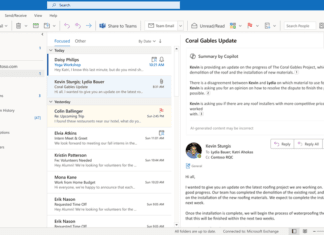
Integration across the various applications and services creates a unified and efficient workflow. Outlook seamlessly integrates with OneDrive and Teams, allowing users to share files directly from emails and schedule meetings with attached documents in a few clicks.
Data can be easily moved between Excel and other applications, like Power BI for advanced data analysis and visualization. A sales team, for example, could use Excel to track sales figures and then directly import that data into Power BI to create interactive dashboards and reports, gaining deeper insights into their performance.
Finally, for businesses, Microsoft 365 offers robust security and compliance features. These include data loss prevention (DLP) to prevent sensitive information from leaving the organization, multi-factor authentication (MFA) to enhance account security, and advanced threat protection to guard against malware and phishing attacks.
The centralized administration tools provide IT departments with granular control over user access and permissions, ensuring data security and compliance with regulations.
Criticisms and Concerns
Despite its widespread adoption and numerous advantages, Microsoft 365 is not without its critics. Several concerns have been raised regarding security, the subscription model, complexity, dependence on internet connectivity, and the implications of discontinued programs.
Security Concerns: A Persistent Threat
While Microsoft invests heavily in security, Microsoft 365, as a large-scale cloud service, remains a prime target for cyberattacks. High-profile breaches, such as US Department of Commerce breach via Office 365, underscore the potential vulnerability of cloud-based data. Phishing attacks, designed to steal user credentials, are a constant threat, and successful breaches can lead to significant data loss, financial damage, and reputational harm.
Furthermore, concerns persist regarding government access to data stored on Microsoft’s servers, even those located outside the United States, under legal frameworks like the Patriot Act. This raises privacy concerns for users, especially those in regions with stringent data protection regulations like GDPR.
The July 1, 2021, cybersecurity advisory from British and American security agencies, warning of a GRU brute-force campaign targeting Microsoft Office 365 cloud services, further highlights the ongoing security challenges.
The Subscription Model: Cost and Control
The shift to a subscription-based model, while offering benefits like continuous updates, has also generated significant criticism. Some users express a strong preference for one-time purchase licenses, arguing that the recurring subscription fees can be more expensive in the long run, particularly for individuals or small businesses who may not need or utilize all the features included in the subscription.
This model also creates a sense of “vendor lock-in,” as users lose access to the full functionality of the applications if they stop subscribing, unlike perpetual licenses where they retain access to the purchased version. The lack of ownership and the potential for increasing subscription costs over time are recurring points of contention.
Furthermore, some users are frustrated by the automatic feature updates, which, can disrupt workflows, introduce unexpected changes, and occasionally cause compatibility issues.
Complexity and Feature Overload: A Double-Edged Sword
The sheer breadth of features and services included in Microsoft 365 can be overwhelming, particularly for new users or those with simpler needs. Navigating the various applications and online portals can present a steep learning curve, and many users may only utilize a small fraction of the available functionality.
This complexity can lead to a feeling of being “lost” within the ecosystem, making it difficult to find and effectively use specific tools. The constant addition of new features, while intended to enhance the platform, can also contribute to a sense of clutter and make it harder to maintain proficiency.
Dependence on Internet Connectivity: A Limiting Factor
As a primarily cloud-based service, Microsoft 365’s functionality is heavily reliant on a stable internet connection. While offline access is available for some applications, key features like real-time collaboration, access to cloud storage (OneDrive), and many online services require an active connection.
This dependence can be a major limitation for users in areas with poor or unreliable internet access, hindering productivity and potentially leading to data loss if synchronization is interrupted. This is a particular concern for remote workers or those in developing countries with limited internet infrastructure.
Discontinued Programs: A Loss of Functionality
Over the years, Microsoft has discontinued various programs and services within the Office and Microsoft 365 ecosystem, including Microsoft Binder, Microsoft Classroom, Docs.com, Microsoft Data Analyzer, and others.
While replacements are sometimes offered (e.g., Skype for Business Server being replaced by Teams), these discontinuations can disrupt workflows, force users to adapt to new tools, and potentially lead to the loss of access to older files or data formats. This raises concerns about the long-term stability and reliability of the platform, particularly for users who rely on specific, niche applications.
User Reviews and Reception
Microsoft 365’s reception among users is mixed, reflecting the diverse needs and expectations of its vast user base. While many users praise its collaborative features, accessibility, and constant updates, others express frustration with the subscription model, complexity, and occasional technical issues.
Individual Users: Many individual users appreciate the convenience of accessing their documents from anywhere and the seamless synchronization across devices. The ability to co-author documents in real-time with family members or colleagues on personal projects is also a frequently cited benefit.
However, the recurring subscription cost is a common complaint, particularly among those who only use a few core applications and would prefer a one-time purchase option. Some individual users also report feeling overwhelmed by the sheer number of features and find the interface less intuitive than simpler alternatives.
Small Business Owners: Small business owners often value the collaborative features of Microsoft 365, particularly the integration of Teams for communication and file sharing. The predictable monthly or annual cost can be easier to budget for than large, upfront software purchases.
However, some small businesses with limited IT resources find the platform complex to manage and express concerns about data security and compliance, particularly in industries with strict regulatory requirements.
Enterprise IT Administrators: Enterprise IT administrators generally appreciate the centralized administration and security features of Microsoft 365, which simplify user management and help protect sensitive data.
The availability of advanced features like data loss prevention and multi-factor authentication is also a significant plus. However, some administrators report challenges with managing the frequent updates and ensuring compatibility with existing systems. The cost of enterprise-level subscriptions can also be a significant factor, particularly for large organizations.
Students and Educators: Students and educators often benefit from the accessibility and collaborative features of Microsoft 365, particularly in remote learning environments. The availability of web-based versions of core applications and the integration with learning management systems (LMS) are frequently praised.
However, some students and educators express concerns about the digital divide and the reliance on a stable internet connection, which can be a barrier to access for some.
Overall, while Microsoft 365 receives generally positive feedback, particularly for its collaborative capabilities and comprehensive feature set, the recurring cost, complexity, and occasional technical issues remain points of contention for various user groups. The reception also varies depending on the specific applications and services being used, with some (like Teams) generally receiving higher praise than others (like Publisher or Access, which have more niche user bases).
Alternatives to Microsoft 365
While Microsoft 365 holds a dominant position in the productivity software market, several viable alternatives exist, catering to different needs, preferences, and budgets. These alternatives range from free and open-source office suites to competing cloud-based platforms, and even specialized tools that focus on specific aspects of productivity. Understanding the key differences is crucial for making an informed decision.
The most prominent direct competitor to Microsoft 365 is Google Workspace. Google’s offering similarly provides a suite of cloud-based productivity and collaboration tools, including Gmail, Google Docs, Sheets, Slides, and Drive.
Google Workspace is often favored by users who prefer a simpler, more streamlined interface and a stronger emphasis on real-time collaboration, particularly within web browsers. Another popular alternative, especially for users seeking a free and open-source solution, is LibreOffice.
LibreOffice offers a comprehensive suite of desktop applications for word processing, spreadsheets, presentations, and more. While it lacks the cloud-based features of Microsoft 365 and Google Workspace, it provides a robust and versatile alternative for users who prefer to work offline or avoid subscription fees.
Beyond these, other options include Apple iWork (Pages, Numbers, Keynote) for users deeply embedded in the Apple ecosystem, Zoho Workplace (a cloud-based suite with a focus on CRM and business applications), and OnlyOffice (which emphasizes compatibility with Microsoft Office formats).
Comparison of Microsoft 365, Google Workspace, LibreOffice, Zoho Workplace, and OnlyOffice
| Feature | Microsoft 365 | Google Workspace | LibreOffice | Zoho Workplace | OnlyOffice |
|---|---|---|---|---|---|
| Pricing Model | Subscription (various tiers) | Subscription (various tiers) | Free and Open Source | Subscription (various tiers) | Subscription & Free (Community Edition) |
| Core Applications | Word, Excel, PowerPoint, Outlook, OneNote, etc. | Docs, Sheets, Slides, Gmail, Calendar, Meet, etc. | Writer, Calc, Impress, Draw, Base, Math | Writer, Sheet, Show, Mail, Cliq, Connect, etc. | Docs, Sheets, Slides, Forms |
| Real-time Collaboration | Yes | Yes | Limited (experimental) | Yes | Yes |
| Cloud Storage | OneDrive (various storage limits) | Google Drive (various storage limits) | None (user must provide their own storage) | Zoho WorkDrive (various storage limits) | OnlyOffice Cloud (various), or self-hosted |
| Offline Access | Yes (desktop applications) | Limited (offline editing in Chrome) | Yes | Limited (some offline editing) | Yes (desktop editors) |
| Platform Availability | Windows, macOS, iOS, Android, Web | Web, Android, iOS | Windows, macOS, Linux, (some mobile support) | Web, Android, iOS | Windows, macOS, Linux, iOS, Android, Web |
| Integration | Tight integration within the Microsoft ecosystem | Tight integration within the Google ecosystem | Limited integration with external services | Tight integration within Zoho ecosystem | Good integration with other cloud services |
| Business Focus | Strong emphasis on enterprise features and security | Strong emphasis on collaboration and simplicity | Primarily individual and small business use | Strong emphasis on CRM and business applications | Strong emphasis on document compatibility |
| User Interface | Feature-rich, can be complex | Simpler, more streamlined | Traditional desktop application interface | Modern, web-based interface | Clean, Microsoft Office-like interface |
| Customer Support | Varies by subscription level | Varies by subscription level | Community-based support | Varies by subscription level | Varies by edition (free/paid) |
| Document Format Compatibility | Native .docx, .xlsx, .pptx, good compatibility | Native Google formats, good compatibility | Native .odt, .ods, .odp, good compatibility | Native Zoho formats, imports/exports common formats | Native .docx, .xlsx, .pptx, high compatibility |
Verdict
Microsoft 365 has established itself as a dominant force in the productivity software landscape, offering a powerful and versatile platform for individuals, businesses, and educational institutions.
Its cloud-based nature, continuous updates, and seamless integration between a wide array of applications provide significant advantages in terms of accessibility, collaboration, and efficiency. The availability of mobile and web apps, coupled with the robust feature set of the traditional desktop applications, makes it a compelling option for a broad spectrum of users and work styles.
However, the platform is not without its complexities and trade-offs. The subscription model, while offering ongoing updates and simplified IT management, represents a recurring cost and a degree of vendor lock-in that may not be suitable for all users or budgets.
Security concerns, although actively addressed by Microsoft, remain a valid consideration, particularly given the high-profile nature of the platform and the increasing sophistication of cyber threats.
The sheer breadth of features and services, while impressive, can also be overwhelming, and the dependence on a stable internet connection presents limitations in certain environments.
The history of discontinued programs within the Microsoft ecosystem also raises valid concerns about long-term reliance on specific features. Is Microsoft 365’s dominance sustainable in the face of growing competition and evolving user expectations?
Ultimately, the optimal choice hinges on a careful evaluation of individual or organizational needs, a thorough comparison with available alternatives, and a clear understanding of both the benefits and potential drawbacks of embracing the Microsoft 365 ecosystem.