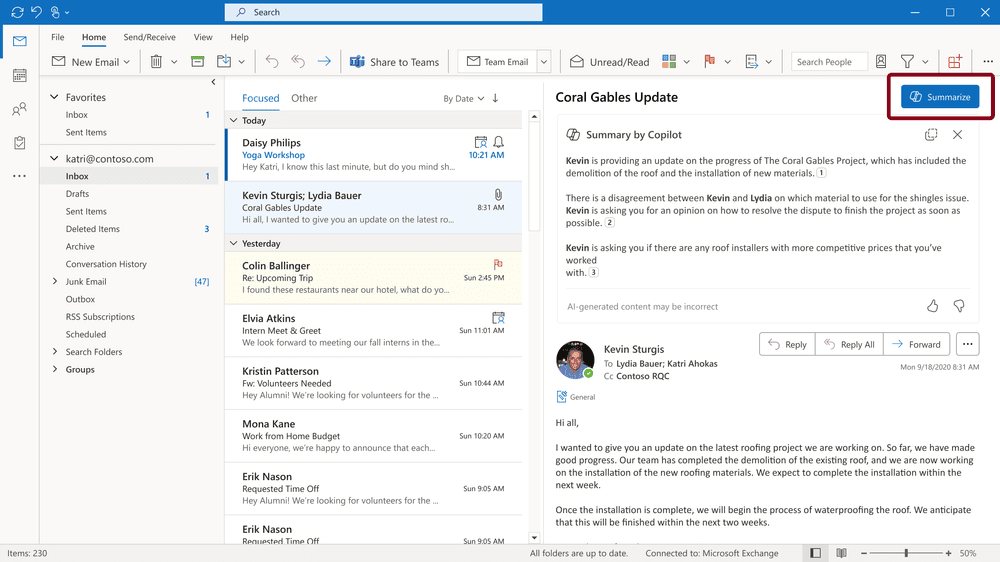
- Acknowledged Defect: Microsoft has acknowledged that classic Outlook Version 2604 Build 19929.20164 may drop embedded images from emails, newsletters, and signatures.
- Trigger: The failure fires whenever an image uses the Wrap Text Top and Bottom option, leaving recipients with a placeholder error or blank slot.
- Workaround: Microsoft’s only fix-in-place guidance is to avoid Wrap Text with Top and Bottom on images until a corrected build ships.
- Status: The support page lists the issue as INVESTIGATING with no committed fix build or target release window for the Microsoft 365 update channel.
- Enterprise Impact: Signature, marketing, and newsletter workflows that still rely on classic Outlook inherit broken images across replies and forwards.
Classic Outlook may drop rendering of embedded images on its current update build, with affected company signatures and newsletters displayed as a placeholder error or with no logo where the article footer should appear. Microsoft has acknowledged the issue on its support wbsite. The support page lists the status as investigating, with no fix date released.
Outlook Version 2604 Build 19929.20164 and later builds trigger the failure whenever an image uses the Wrap Text with Top and Bottom formatting option, an image-formatting choice that wraps body text above and below the image. Affected senders include anyone who relies on image-based signatures or distributes visually formatted newsletters from the classic client.
Microsoft has tagged the rendering failure as INVESTIGATING, with no committed fix build or target release window for the Microsoft 365 update channel. New Outlook for Windows handles the same Wrap Text option correctly on that same release channel, so the regression sits entirely on the classic client.
What Breaks and Who Sees It
When the bug triggers, recipients see one of two failures. In some cases, images are not displayed in the email, newsletter, or signature, and a placeholder error appears where the image should be. In others, the slot is simply blank where the logo should be, with no banner, no icon, and no inline graphic at all. Recipients have no signal that an image was intended unless they recognize the gap in formatting around the missing slot.
Affected recipients see the placeholder text exactly as Microsoft documents it:
“The linked image cannot be displayed. The file may have been moved, renamed, or deleted. Verify that the link points to the correct file and location.”
Microsoft Outlook Classic placeholder error
Outlook generates that message when it tries to resolve an embedded image through its inline content-ID reference and fails after the wrapping option rewrites the surrounding message body. Replies or forwards to these messages may permanently lack the image, because the image data did not get included when classic Outlook processed the original message.
Classic Outlook senders with embedded signatures and newsletters take the brunt. Marketing teams, sales staff, and executives watch branded mail arrive with a broken icon where the footer logo should be.
Microsoft’s Workaround and Diagnostic Path
Microsoft’s only recommended workaround for classic Outlook is to avoid Wrap Text with Top and Bottom on images until a fix ships. Senders must change how they format messages while Microsoft has not named a target build for the repair.
Confirming the defect is harder than avoiding it. Microsoft’s view source check asks users to open the email, search for the cid tag, and locate the w:wrap type topAndBottom marker in the raw message source. While technically correct, it assumes a comfort level with raw email markup that many newsletter authors and signature owners do not have. Microsoft has previously paired bug acknowledgments with workarounds while investigation continues, as it did with a 2024 corrupted-rules crash bug on the same client.
Status, Scope, and a Pattern of Regressions
Microsoft last updated its Outlook for Microsoft 365 guidance for the defect on May 18. Microsoft’s classic Outlook known-issues hub lists the image-rendering defect under its May 2026 INVESTIGATING items, and the scope stays narrow: only the legacy client is failing.
Image rendering joins a separate classic Outlook regression on May 11, 2026, when Quick Steps controls began appearing grayed out, another classic Outlook bug Microsoft acknowledged earlier this year. Quick Steps had been broken for several months before Microsoft repaired it on May 8th.
Microsoft has delayed the enterprise switchover to New Outlook, keeping classic Outlook as the supported client through the extended Microsoft 365 lifecycle. Many organizations remain on the legacy build because add-ins, COM integrations, shared mailboxes, and PST archives still depend on it. Classic Outlook anchors those workflows across invoices, HR notices, legal footers, sales decks, and executive sign-offs, so any image-rendering regression on Build 19929.20164 propagates straight into routine business correspondence.
Microsoft has not committed to a target build above 19929.20164 on the Microsoft 365 update channel for classic Outlook. Until that successor build ships, the support page status stays at INVESTIGATING. Every message sent from Build 19929.20164 with Wrap Text Top and Bottom formatting will continue to reach recipients as a broken-link placeholder or a blank slot.