Windows 11 — Latest News and Analysis
Windows 11, unveiled by Microsoft in June 2021, is more than just a follow-up to Windows 10—it marks a bold evolution in the Windows operating system. With a sleek, modern design and a focus on enhanced productivity and security, Windows 11 aims to cater to a wide spectrum of users, from everyday consumers to IT professionals. The latest iteration of Windows OS emphasizes hybrid work environments, offering features that bridge personal and professional use cases.
From the visually refined interface to innovative tools like the Windows Subsystem for Android (WSA) and AI-driven optimizations, Windows 11 aims to reshape how users interact with their devices. Designed with modern workflows in mind, it integrates seamlessly with Microsoft 365, OneDrive, and cloud-based ecosystems, ensuring compatibility with the demands of today.
Our overview explores every aspect of Windows 11, including its development, standout features, system requirements, and the reception it has garnered from users and critics. Whether you’re contemplating an upgrade or simply curious about its capabilities, this comprehensive analysis will help you understand everything Windows 11 has to offer.
Development and Launch
Background and Announcement
Microsoft officially introduced Windows 11 on June 24, 2021, signaling the beginning of a new era for its flagship operating system. Positioned as a reinvention of Windows, it promised a refreshed design, improved performance, and better compatibility for modern workflows. The announcement ended speculation about Windows 10 being the “final version” of Windows, pivoting to a vision of long-term innovation.
A key driver behind Windows 11’s development was the rise of hybrid work environments and the growing demand for seamless digital experiences. This OS was designed to adapt to shifting user needs, providing enhanced multitasking tools, tighter integration with cloud services, and more robust security features.
Key Milestones in Development
Windows 11’s development journey was marked by several significant milestones:
- Public Preview via Windows Insider Program: Shortly after its announcement, Microsoft launched the Windows Insider Program to gather user feedback and refine features.
- Introduction of System Requirements: The controversial decision to require TPM 2.0 and modern processors sparked debates but underscored Microsoft’s focus on heightened security.
- Collaboration with Hardware Partners: Microsoft worked closely with manufacturers like Dell, HP, and Lenovo to ensure a smoother transition to Windows 11, with hardware optimized to showcase its features.
Marketing Strategies
Microsoft adopted a forward-looking approach to market Windows 11, emphasizing its tagline: “Designed for the future.” The campaign highlighted the OS’s ability to enhance creativity, productivity, and connectivity. Marketing efforts also leaned on strategic partnerships with PC manufacturers to promote Windows 11 as the default OS for new devices.
Beyond traditional marketing, Microsoft emphasized transparency in its communication by leveraging its developer and user community. Frequent blog posts, previews in the Insider Program, and real-time updates on feedback helped generate anticipation and trust among potential adopters.
Features and Innovations
Revamped User Interface
Windows 11 introduces a fresh and modern design that focuses on simplicity and usability. Key interface updates include:
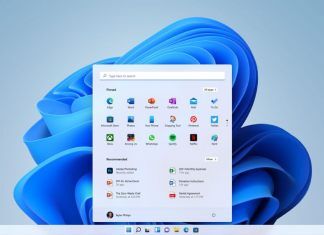
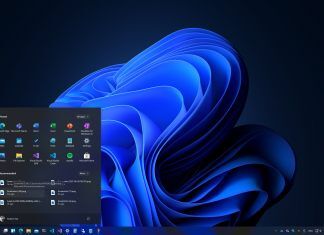
- Centered Start Menu: The iconic Start Menu is now centered, offering a streamlined and symmetrical layout. It incorporates pinned apps, recent documents, and recommended files for quick access.
- Snap Layouts and Snap Groups: These multitasking tools allow users to organize open windows into predefined layouts, making it easier to manage multiple tasks and apps simultaneously.
- Redesigned Taskbar: The taskbar has been decluttered and repositioned for improved navigation and aesthetic appeal. It also integrates seamlessly with Microsoft Teams for quick communication.
These updates prioritize productivity while maintaining an intuitive user experience, catering to both casual and professional users.
Enhanced System Security
Windows 11 takes system security to the next level with mandatory hardware-based safeguards:
- TPM 2.0 Requirement: Trusted Platform Module (TPM) 2.0 ensures hardware-level encryption, making it harder for attackers to compromise the system.
- Secure Boot: Protects the system from malicious software by only allowing trusted software to load during startup.
- Enhanced Privacy Tools: New privacy features give users greater control over their data and app permissions, aligning with global security standards.
These enhancements make Windows 11 one of the most secure operating systems available, catering to users who prioritize data protection.
Windows Subsystem for Android (WSA)
One of the standout innovations is the Windows Subsystem for Android (WSA), which allows users to run Android apps directly on their PCs. Key features include:
- Microsoft Store Integration: Users can download Android apps through the Amazon Appstore, accessible via the Microsoft Store.
- Native App Experience: Android apps function seamlessly alongside native Windows apps, bridging the gap between mobile and desktop ecosystems.
- Expanded Productivity Options: From using productivity apps to accessing mobile-only tools, WSA enhances versatility for professionals and casual users alike.
Artificial Intelligence Enhancements
Windows 11 leverages AI to create smarter, more efficient user experiences:
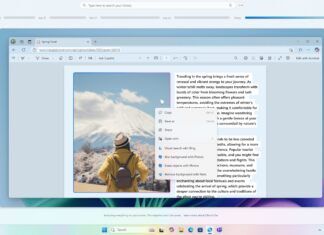
- Start Menu Recommendations: AI suggests apps, files, and actions based on user behavior, helping streamline workflows.
- Resource Optimization: AI-powered background processes improve system performance by allocating resources dynamically, reducing lag and energy consumption.
These advancements demonstrate Microsoft’s commitment to embedding intelligence throughout the OS.
Gaming Enhancements
For gaming enthusiasts, Windows 11 introduces cutting-edge technologies:
- Auto HDR: Enhances the visual quality of games by adding high dynamic range (HDR) to older titles without requiring developer updates.
- DirectStorage: Reduces load times by allowing the GPU to bypass the CPU when accessing data from NVMe SSDs, significantly improving gaming performance.
- Xbox App Integration: Provides seamless access to Xbox Game Pass, allowing users to play a wide array of games directly on their PC.
Windows 11 solidifies itself as a gaming powerhouse, catering to casual and hardcore gamers alike.
Editions and System Requirements
Overview of Editions
Windows 11 is available in several editions, catering to diverse user needs and environments:
-
Windows 11 Home: Designed for general consumers, it includes the core features of Windows 11, such as the redesigned Start Menu, Snap Layouts, and Widgets. This edition focuses on simplicity and usability for everyday tasks.
-
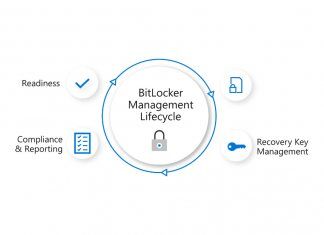
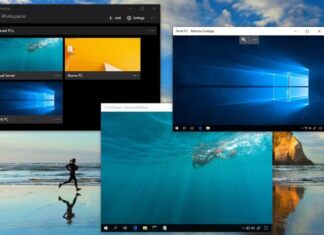
Windows 11 Pro: Targeted at small businesses and professionals, it offers additional tools like BitLocker encryption, Hyper-V virtualization, and remote desktop access. This edition is ideal for users who need advanced security and management features.
-
Windows 11 Education and Enterprise: Built for large-scale deployments, these editions provide enhanced security, device management tools, and IT integration capabilities. They are tailored for schools, universities, and enterprises requiring centralized administration.
-
Windows 11 SE: A lightweight edition aimed at the education market, Windows 11 SE is optimized for budget devices used in classrooms. It simplifies the interface and focuses on student-friendly productivity.
System Requirements
Windows 11 introduced stricter system requirements compared to Windows 10, with the goal of improving security and performance.
-
Official Minimum Requirements:
- Processor: 1 GHz or faster, with at least 2 cores (64-bit architecture).
- RAM: 4 GB.
- Storage: 64 GB or more.
- Graphics Card: DirectX 12-compatible with WDDM 2.0 driver.
- TPM: Trusted Platform Module (TPM) version 2.0.
- Display: A screen with at least 720p resolution and a diagonal size greater than 9 inches.
-
Controversial Hardware Limitations:
- The mandatory inclusion of TPM 2.0 and specific newer processors sparked widespread criticism. Many older, yet capable, devices were rendered incompatible, causing frustration among users who saw no performance issues with their current setups.
Compatibility with Devices and Software
While Windows 11 is optimized for newer devices, compatibility with older software and hardware varies:
- Modern Hardware: Windows 11 runs best on devices equipped with SSDs, high-resolution displays, and touchscreens.
- Legacy Software: Most legacy Windows applications are supported, but older drivers and software may require updates. Compatibility issues can arise for hardware that doesn’t meet the strict system requirements.
Practical Workarounds
Microsoft discourages unsupported installations, but users have found unofficial methods to bypass system checks, including TPM requirements. These workarounds are not officially supported and may limit access to future updates, leaving systems vulnerable.
Updates and Support
Update Frequency and Support Lifecycle
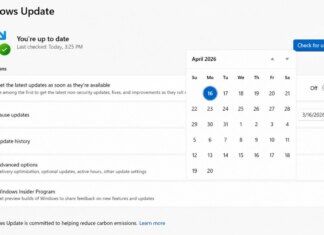
Microsoft has shifted to an annual feature update schedule for Windows 11, providing a more predictable and streamlined update process compared to Windows 10. This schedule ensures users receive new features, performance improvements, and security enhancements at a consistent pace.
- Home and Pro Editions: Receive 24 months of support from the date of the update’s release.
- Enterprise and Education Editions: Benefit from an extended support period of 36 months, catering to businesses and large organizations with complex IT requirements.
Monthly cumulative updates, also known as “Patch Tuesday” updates, deliver critical security fixes and performance improvements to ensure systems remain secure and efficient.
Preview Releases and Beta Channels
The Windows Insider Program plays a vital role in shaping the development of Windows 11 updates. It allows users and developers to test upcoming features and provide feedback before they are rolled out globally.
- Dev Channel: For early adopters who want to test experimental features, often with bugs or incomplete implementations.
- Beta Channel: Provides a more stable experience with features that are close to finalization.
- Release Preview Channel: Offers nearly complete updates for final testing and feedback before general release.
This tiered approach ensures that new updates are thoroughly tested and optimized, minimizing disruptions for end users.
Improvements in Update Delivery
Windows 11 incorporates smarter update technology, reducing download sizes and installation times:
- Smaller Update Packages: Updates are delivered incrementally, so only the necessary changes are downloaded.
- Background Installation: Updates are installed in the background, reducing downtime and disruptions for users.
User Adoption and Market Reception
Pre-Release Reception
Windows 11’s announcement generated mixed reactions among users and experts:
- Praise for Innovation: The sleek, modern interface and new features, such as the Snap Layouts and Windows Subsystem for Android (WSA), were widely praised for improving productivity and offering seamless integration between devices.
- Criticism of Hardware Requirements: The stricter system requirements, especially the need for TPM 2.0 and newer processors, were controversial. Many users criticized the exclusion of otherwise capable older hardware, which limited adoption for some.
Early feedback from the Windows Insider Program provided valuable insights, allowing Microsoft to address bugs and usability concerns before the public release.
Market Share Trends
Since its launch, Windows 11’s market adoption has steadily increased, although at a slower pace than expected:
- Adoption Drivers:
- Pre-installation on new PCs has been the primary driver of growth.
- Free upgrade availability for eligible Windows 10 users incentivized adoption.
- Adoption Challenges:
- Businesses and institutions often delay upgrades due to compatibility testing with legacy systems.
- Some consumers prefer sticking with Windows 10, citing familiarity and adequate performance on older devices.
As of late 2024, Windows 11 accounts for a growing portion of the Windows ecosystem but continues to face competition from Windows 10, which remains widely used due to its extended support period until 2025.
Common User Feedback and Criticism
Feedback from users has been diverse, reflecting varying experiences across different use cases:
- Positive Feedback:
- The streamlined Start Menu and Snap Layouts have been well-received, especially by productivity-focused users.
- Gaming features such as Auto HDR and DirectStorage have enhanced the experience for gamers.
- Criticism:
- The mandatory use of a Microsoft account for installations in Home edition has been a common frustration.
- Limited customization options in the Start Menu have drawn negative feedback from power users.
- Performance issues on older devices, even those meeting minimum requirements, have led to complaints.
Competitor Comparisons
Compared to macOS and Linux distributions, Windows 11 continues to dominate in market share but faces increasing competition in niche areas:
- macOS: Offers a tighter ecosystem for Apple users, making it a popular choice for creative professionals.
- Linux: Gains traction among developers and privacy-focused users, though it remains niche compared to Windows.
Windows 11’s strength lies in its broad compatibility with hardware and software, positioning it as a versatile OS for general and professional users alike.
Conclusion
Windows 11 is more than just an upgrade—it’s a statement about the future of personal computing. By focusing on a modern user experience, advanced security, and seamless integration across devices, Microsoft has positioned its flagship OS as a tool for productivity, creativity, and entertainment. From features like the sleek Snap Layouts and the inclusion of Android apps via the Windows Subsystem for Android (WSA) to advanced gaming technologies such as Auto HDR and DirectStorage, Windows 11 brings something for everyone.
Despite its innovations, Windows 11 faces challenges in adoption due to its stringent hardware requirements and limited customization options. However, Microsoft’s commitment to annual updates and long-term support ensures that the OS will continue to evolve to meet user expectations.
Whether you are a casual user looking for a visually appealing and efficient operating system, a gamer seeking cutting-edge features, or a professional requiring robust security and multitasking capabilities, Windows 11 is a compelling choice for those ready to embrace the next generation of Windows.