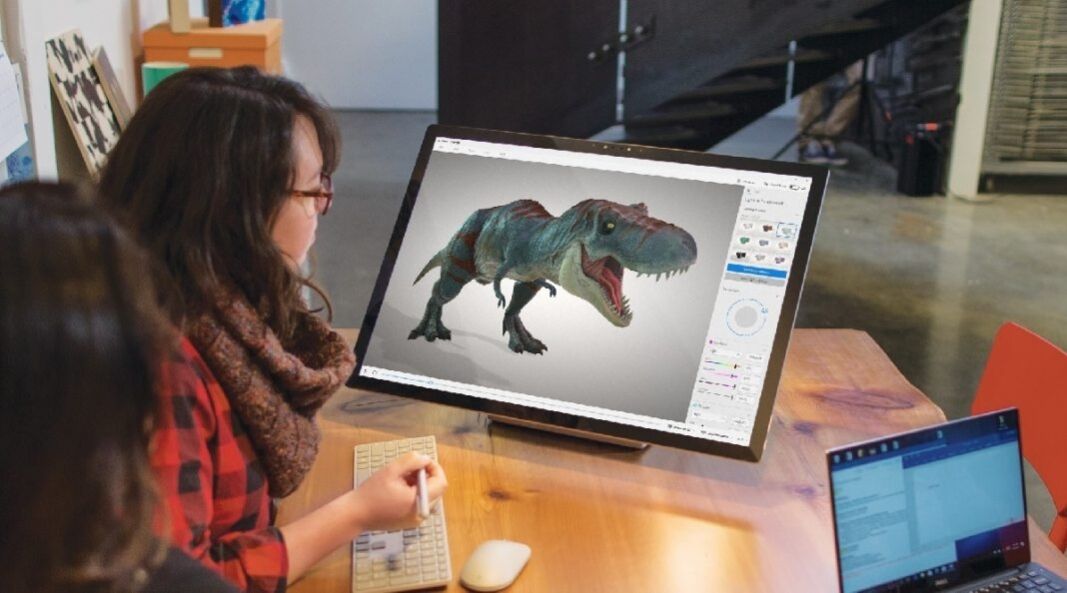
- Deprecation Timeline: Microsoft deprecated the 3D Viewer app in February 2026 and will remove it from the Microsoft Store on July 1, 2026.
- User Impact: Existing installations will continue to function, but users will not be able to reinstall the app after the July 1, 2026 deadline.
- Strategic Context: The deprecation reflects Microsoft’s shift away from consumer mixed reality applications toward artificial intelligence and Copilot integration.
- Alternative Solution: Microsoft recommends Babylon.js Sandbox as a web-based replacement for 3D viewing capabilities.
Microsoft will remove the 3D Viewer app from the Microsoft Store on July 1, 2026.
The company deprecated the application in February 2026. It now joins a list of discontinued features that includes Paint 3D, deprecated in August 2024, and Windows Maps, which joined the deprecated list in April 2025. This announcement signals Microsoft’s continued focus on simplifying Windows by removing legacy applications.
Official Deprecation Details and User Impact
Microsoft’s official documentation provides clear guidance on what users can expect.
Existing installations of 3D Viewer will continue to work even after the July 1, 2026 deadline. This maintains functionality for users who rely on the application. However, users who remove the app will not be able to reinstall it from the Microsoft Store after that date.
“3D Viewer was deprecated in February 2026 and will be removed from the Microsoft Store on July 1, 2026. Existing installations of 3D Viewer will continue to work, but the app will no longer be available for download from the Microsoft Store. If you remove the app, you can reinstall it from the Microsoft Store until July 1, 2026. After that date, 3D Viewer will no longer be available for download. 3D Viewer was preinstalled on some Windows 10 devices, but wasn’t preinstalled on Windows 11 devices.”
Microsoft Official Support Documentation (via Microsoft Learn)
The impact varies significantly by Windows version. 3D Viewer was preinstalled on some Windows 10 devices. Users of that operating system are more likely to have encountered the app. They may need to consider the deprecation in their workflows.
Windows 11 users never had the app preinstalled. They face minimal disruption unless they specifically downloaded 3D Viewer from the Store. The 17-month transition window from deprecation announcement to final removal gives Windows 10 users ample time to preserve the application or transition to alternatives.
Origins in the Mixed Reality Era
To understand why Microsoft is removing this application, it helps to examine its origins. The 3D Viewer application dates back to Microsoft’s push into mixed reality during the mid-2010s. Originally launched as Mixed Reality Viewer in 2017, the app emerged during a period when the company was heavily investing in virtual and augmented reality technologies. This included its Windows Mixed Reality platform and HoloLens headset initiatives.
That platform has since been discontinued. The 3D Viewer deprecation reflects Microsoft’s broader retreat from consumer-facing mixed reality applications. The app allowed users to view 3D models in a virtual space using compatible headsets.
This functionality has become less central to Microsoft’s current product strategy. The company is shifting its focus toward artificial intelligence and Copilot integration across its product lineup.
Alternative Solutions for Affected Users
As the July 2026 deadline approaches, users who still need 3D viewing capabilities will need to explore replacement options. Microsoft has identified Babylon.js Sandbox as a recommended alternative.
The web-based tool allows users to drag and drop 3D models directly into their browser. No dedicated software installation is required. This offers accessibility across different platforms and devices.
Third-party alternatives include F3D, a fast and minimalist open-source desktop application designed specifically for 3D model viewing. F3D supports a wide range of 3D file formats. These include glTF, STL, OBJ, and STEP. This makes it a versatile replacement for users who prefer native desktop software over browser-based solutions.
MeshLab provides another option with more advanced 3D model processing and editing capabilities. These alternatives ensure that users who rely on 3D viewing functionality can continue their workflows without major interruption.
Microsoft’s pivot to Babylon.js Sandbox signals a broader architectural shift away from native Windows applications. The company is moving toward platform-agnostic web-based tools.
This approach reduces Microsoft’s ongoing maintenance burden while still accommodating users who need 3D viewing capabilities. However, it introduces dependency on browser-based performance rather than native system optimization. For enterprises that standardized on 3D Viewer for its Windows integration, the transition to web-based alternatives represents a fundamental change in how they manage 3D asset workflows.
Microsoft’s Streamlining Strategy
The deprecation aligns with Microsoft’s broader strategy of removing legacy features that serve niche audiences. By directing users to web-based alternatives like Babylon.js Sandbox, Microsoft reduces the maintenance burden of native Windows applications.
It still provides viable options for those who need 3D viewing capabilities. This follows the deprecations of Paint 3D and Windows Maps. It suggests Microsoft will maintain its focus on simplifying the Windows ecosystem throughout 2026 and beyond.