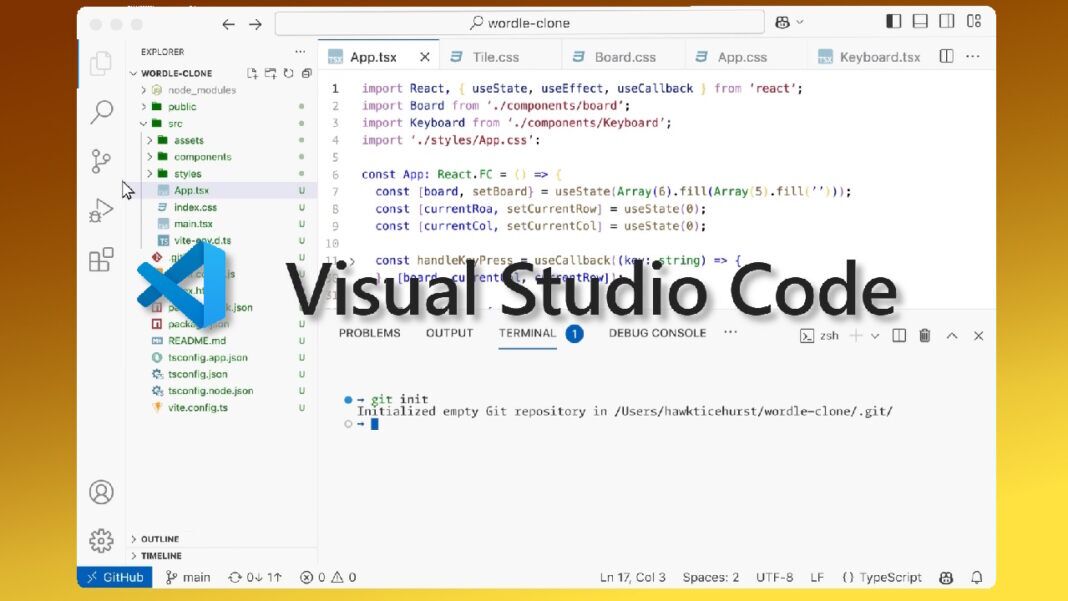
- Session Sync: VS Code 1.123 lets AI coding histories follow developers across machines through GitHub accounts.
- Project Memory: /chronicle commands can search past sessions, generate standup reports, and surface productivity tips.
- Preview Limits: The Research Agent is limited to Copilot CLI local sessions in Insiders for now.
- Extension Safety: VS Code delays many third-party extension auto-updates by two hours while keeping manual updates available.
Microsoft released Visual Studio Code 1.123 last week with portable AI-session history and a safety pause for many third-party extension updates. Developers who move between machines, repositories, and remote environments now get a clearer record of agent work without relying on a single local session.
For Copilot and agent workflows, VS Code 1.123 treats AI-assisted coding as a multi-step task that can span devices. Synced history can preserve conversations, touched files, repository context, timestamps, and referenced pull requests or issues through a GitHub account instead of leaving that material inside one workspace.
Persistent Agent Sessions Become the Centerpiece
Session continuity is the main practical shift for developers who divide work across desktops, laptops, remote environments, and repository branches. The release supports cross-machine chat session sync, allowing developers to resume AI-assisted work with project history and linked repository material still available.
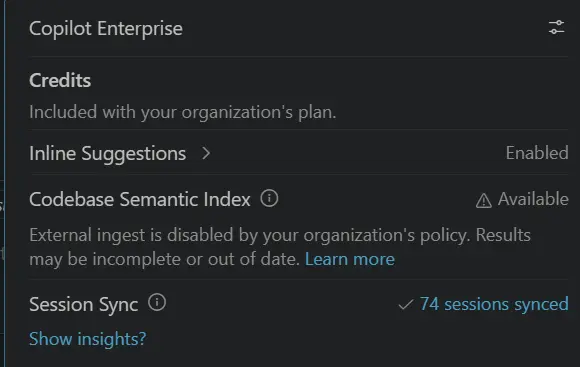
Teams that split work across devices can bring more of the task record into the next workspace. For developers using Copilot or agent workflows, chat session sync carries touched files, repository context, timestamps, and related pull requests through GitHub accounts.
New /chronicle commands can answer natural-language questions about completed sessions, generate standup reports, offer productivity tips, and search coding history by topic, file, or pull request. VS Code can now turn earlier sessions into searchable project memory instead of leaving them as disposable chat output.
Microsoft has been building toward that model. VS Code in April got built-in Copilot and agent debugging. Version 1.123 extends that path from agent access into persistence.
Daily agent work needs three concrete pieces: a visible surface for parallel sessions, remote sessions that survive disconnections, and a protocol layer that keeps state consistent when multiple clients touch the same task. Agents window is now available in VS Code Stable as a preview, while GitHub’s remote-agent preview can keep sessions running over SSH or Dev Tunnels after a client disconnects.
Agent Host Protocol work adds the state-synchronization layer around those sessions. Session memory, remote execution, and state synchronization solve different failure points: remembering prior work, keeping long-running tasks alive, and avoiding conflicting agent views of the same repository.
Preview Tools and Extension Guardrails
Microsoft also adds a Research Agent through the Research Agent preview, but availability is narrow. Copilot CLI local sessions in Insiders are the only supported path for now. Within that preview, the agent can gather information from the web, a local codebase, and GitHub into a Markdown report.
Browser tooling receives a smaller but useful set of additions. VS Code 1.123 adds integrated browser updates, including favorites, browser-tab access from the address bar, selected-area screenshots, and experimental full-page screenshots. Browser context can feed research-and-agent work inside the editor with less switching between tools.
Extension-heavy teams face a different trade-off. VS Code now waits two hours before automatically applying newly published third-party extension updates, while Microsoft, GitHub, and OpenAI extensions continue to update immediately.
A prior compromised VS Code extension gives that waiting period a concrete security reason, but the available evidence does not show how often the delay will catch bad releases or whether it could slow urgent third-party fixes. Developers can still update extensions immediately when needed, so the guardrail is a default delay rather than a hard block.
Local-agent terminal commands receive a fallback path for network-dependent work. Commands can retry with broader network access while filesystem protections remain in place. Air-gapped environments get related enterprise attention through bring-your-own-key model support and controls for utility-task models, although those controls sit behind the main session-persistence story.
AI Coding Tools Face a Crowded Field
VS Code remains available as a desktop editor for macOS, Windows, and Linux, with a web edition at vscode.dev. Its current product positioning now leans heavily into multi-agent development, where coding assistants compete to keep more context inside a developer’s daily workspace.
Version 1.123 enters that wider race for developer context. Amazon Q Developer, Gemini Code Assist, Tabnine, Mistral Code, and GitHub’s Copilot app all compete for workflow attention.
VS Code’s advantage is not just another chat surface, but a developer environment that already owns files, terminals, source control, extensions, and remote sessions. The current product page reflects that positioning by emphasizing multi-agent development alongside the editor’s established desktop and web editions.
The practical test will be whether VS Code’s two-hour delay for newly published third-party extension updates catches problematic or potentially compromised releases while still letting developers update extensions immediately when needed. For AI-assisted coding, it will be importat whether synced session history becomes useful enough for developers to trust it as part of daily project memory.