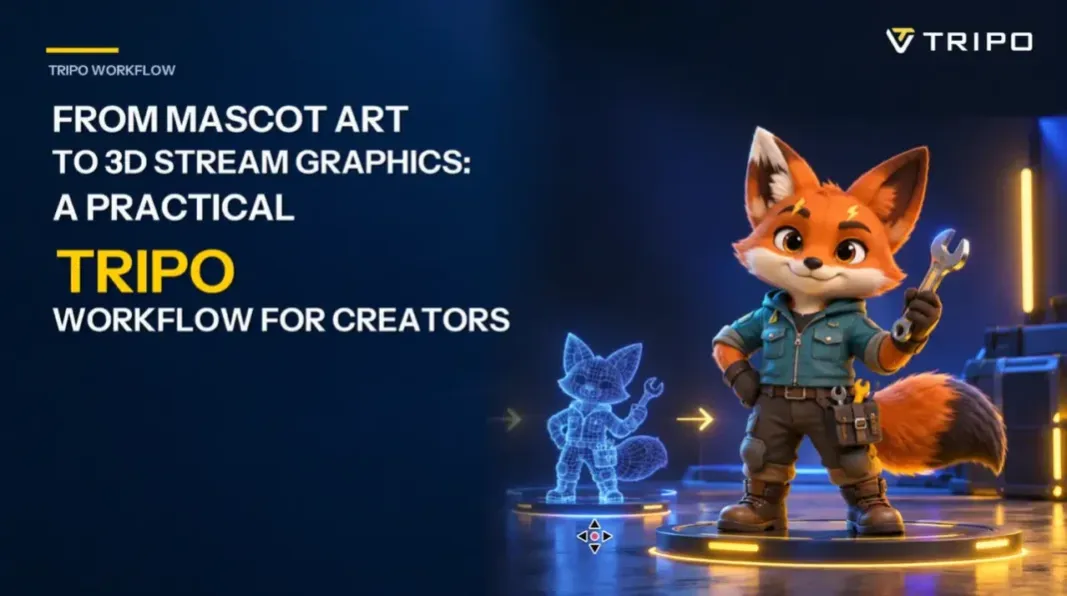
A streamer’s mascot often begins as a flat drawing that works well in a profile picture. Problems appear when the same character is asked to carry a scene transition, point at a chat message, or sit beside a sponsor panel. Redrawing every variation is possible, but it can become a bottleneck for a solo creator. A reviewed 3D base asset can offer another route, provided the mascot remains recognizable and is validated for each intended use.
Consider a fox mechanic named Patch: burnt-orange fur, one cream ear tip, a teal utility jacket, a square tool pouch, and a small lightning-shaped eyebrow mark. Those five details are the identity lock. Everything else can change with the scene.
Start with a model sheet, not the stream overlay
A finished stream overlay is usually a poor source image for this workflow because alerts, text, particles, and background graphics compete with the character. Instead, prepare a clean mascot sheet with visible hands and feet and no object crossing the body. If the character will later be rigged, check the current rigging requirements before generation and prepare the required pose. A three-quarter reference can communicate width and depth; a consistent rear or side view can add information when the tail, backpack, or asymmetrical costume matters.
Before uploading anything, write a short continuity list. For Patch, mine would read: cream right ear tip, teal jacket with two chest pockets, square pouch on left hip, lightning eyebrow mark above left eye, tail tip darker than body. The list becomes the review checklist after generation and prevents “close enough” from slowly changing the mascot between scenes.
Build a neutral base before chasing expressions
With the reference cleaned up, an Image to 3D Model workflow can provide a generated 3D starting asset that the team can inspect from multiple angles. Hidden areas still need review. Start with the ears, muzzle, fingers, jacket hem, pouch attachment, and tail root because each one affects the character silhouette.

Optional prompt for creating the 2D reference image: Friendly stylized fox mechanic mascot, burnt-orange fur, cream right ear tip, teal utility jacket with two chest pockets, square tool pouch on the left hip, lightning-shaped mark above the left eye, darker tail tip, clearly separated limbs, neutral studio background, no text or props.
The first goal is not an exaggerated streamer pose. It is a clean base that can be reviewed before scene production. Rotate the model under plain lighting and compare it with the identity list. If the eyebrow mark drifts, the pouch swaps sides, or the tail merges with the jacket, revise the reference or try another pass. If the current Tripo workspace offers Auto Rig for the asset and lists a standard T-pose as an input requirement, prepare or regenerate the mascot in that pose, inspect the skeleton, and verify each motion before export. Custom prop interactions and bespoke poses may still require a DCC or animation tool.
Design three stream moments around one asset
Once the base survives inspection and any required rigging, plan the graphics around actual broadcast events. After export, create the final scenes in an animation, DCC, or compositing tool.
Starting Soon: In the downstream scene, Patch leans over a workbench while a small holographic timer floats above it. The camera is wide enough to leave space for the countdown. Motion should be subtle so it does not compete with music or chat.
New Subscriber alert: a closer crop shows Patch raising a wrench as a spark icon appears. Treat this as a downstream animation task and verify the hand grip, prop intersection, and silhouette at the final alert size.
BRB panel: Patch sits beside an open toolbox, looking offscreen. This can reuse the same materials and lighting while feeling calmer than the alert. A still render may be enough if animation time is limited.
This planning avoids a common mistake: generating a character first and deciding what to do with it later. Each pose has a screen region, viewing size, and timing requirement before production begins.
A short rehearsal before going live
Audio timing deserves the same attention as the model. A subscriber alert sound that lasts two seconds cannot support an action with several beats. In the animation or compositing tool, storyboard the wrench raise in three frames: anticipation, a clear peak pose, and a quick settle. Keep the mascot’s face visible and the particles outside the subscriber-name area. Export a low-resolution preview so an editor can check the camera, timing, and caption clearance before the lighting pass.
Where Tripo helps, and where judgment still matters
An ai 3d model generator free to try can turn a reference image into a 3D starting asset that a creator can inspect, edit, or export. The generated asset is not automatically a finished rig, animation, or stream composite. Art direction still matters: fur patterns need review, accessories should be checked for intersections during each pose, and a model that reads at full screen may become unclear in a 280-pixel alert.
I would test Patch in the real overlay at three sizes: the large Starting Soon scene, a medium BRB panel, and the smallest alert placement. If the face disappears at the smallest size, simplify the lighting and push the head-and-shoulder crop. If the jacket and fur merge, increase their value contrast rather than adding more detail.
A creator-friendly handoff
Keep the source sheet, generation reference, approved turntable, color swatches, and final camera angles in one folder. Name renders by use, such as patch_sub_alert_v03, rather than by date alone. For a collaborator, add a one-page note showing the five identity locks and the safe space reserved for captions.
The useful outcome is not simply a 3D mascot. It is a small, repeatable visual system. After rigging, scene production, and per-placement review, one approved base character can support a set of stream moments while remaining recognizable. Future graphics can then begin from the same verified base instead of restarting from a flat drawing every time.
About the author
Wenjing Long is a member of the team at Tripo, an AI-powered 3D creation platform.