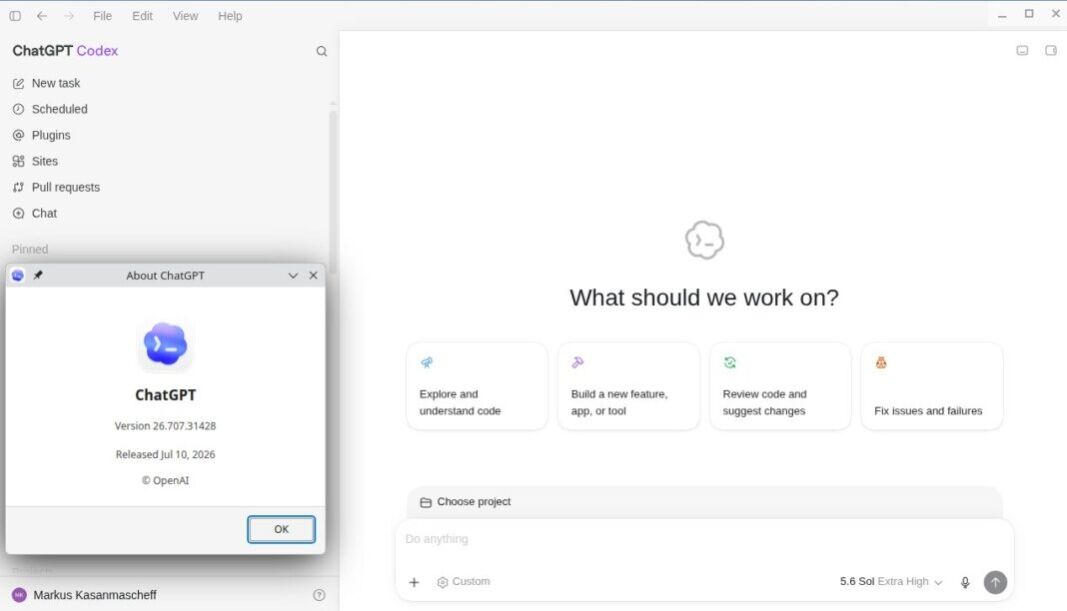
- Sidebar Restoration: OpenAI has restored conversation history and Projects to the ChatGPT desktop sidebar.
- History Sync: Chat history and history from Work, ChatGPT’s agent mode for complex tasks, now synchronize across web, mobile, and desktop.
- Device Boundary: Local Tasks still run and remain stored on the computer that started them.
- Eight-Day Reversal: OpenAI corrected the navigation eight days after combining Chat, Work, and Codex.
OpenAI restored conversation history and Projects to the desktop sidebar on July 17 after user feedback, reversing a central change in a redesign released eight days earlier. Projects returned as a destination for ongoing work, removing an extra barrier between users and that work. OpenAI’s reversal narrows an earlier desktop consolidation plan without abandoning the combined app.
OpenAI combined Chat, Work, and Codex in a unified desktop app on July 9. Work handles cloud tasks in the browser and local-file tasks in the desktop app, while Codex is OpenAI’s coding mode. Chat and Work histories now synchronize across web, mobile, and desktop.
Local Tasks remain on the computer where they run. Availability may extend to all tiers, including free accounts. A direct control at the top of the window now moves users between Chat and Work, while regular ChatGPT and Codex remain selectable from the sidebar.
What the Desktop Patch Changes
Cross-device synchronization applies to Chat and Work histories, not every activity in the app. Local Tasks are jobs stored and run on a user’s computer, so they do not follow the user to another device. Codex Windows sandbox controls govern locally run coding tasks through a mechanism separate from Local Tasks storage, and Codex mode remains unchanged.
Tibo Sottiaux, an OpenAI product leader, acknowledged that the company had received feedback on the new ChatGPT desktop app and did not get the first version quite right. Returning history and Projects restores the destinations people use to resume conversations and ongoing work. An explicit Chat and Work switch also reduces the risk of entering the wrong mode.
Evening! We’ve gotten lots of great feedback on the new ChatGPT desktop app (which we didn’t get totally quite right on the first try), and as a result, we’ve made some changes.
1/ ChatGPT conversation history and projects are now visible in the sidebar. Also, your Chat and Work… pic.twitter.com/ffacbMdukN
— Tibo (@thsottiaux) July 17, 2026
ChatGPT’s desktop app includes three experiences: Chat, Work, and Codex. Chat handles ordinary conversations, while Work can gather information across apps and produce finished materials such as documents, spreadsheets, slides, and web apps. Codex handles coding tasks.
Separate labels identify each mode’s purpose inside the shared interface. Someone starting an ordinary question does not need to enter Work, the agent mode intended to collect information and assemble finished materials. A user beginning a multi-stage assignment can choose Work directly rather than treating it as another conversation option.
Chat and Work history now syncs across web, mobile, and desktop, allowing users to continue those sessions on another device. Codex previously added mobile supervision for coding tasks. Both changes make parts of the desktop experience accessible away from the original machine, but they apply to different product modes.
Why OpenAI Reversed Course So Quickly
Combining conversation, agent, and coding tools expanded ChatGPT from a chat interface into a broader workspace. Standard Chat may have been relegated to a less prominent button that opened a floating window without access to existing conversation history or Projects. Users trying to continue an earlier conversation encountered friction before the consolidation delivered value.
OpenAI addressed the navigation problem without undoing the unified product it created when it merged Codex with ChatGPT. Eight days after the combined app arrived, restored sidebar destinations gave returning users a familiar route to earlier work while the top-level switch preserved direct access to Work. Users could still select Codex from the sidebar, and OpenAI did not split the app back into separate products or withdraw Work.
Since March, OpenAI was pursuing a broader desktop consolidation across its chat app, Codex, and the Atlas browser. July’s app update now combines Chat, Work, and Codex without a separate Atlas web-browser. The current correction applies to those three visible experiences, not every product named in the earlier plan. OpenAI changed how the modes are navigated rather than separating them again.
Once users install the update, Chat and Work histories should synchronize across web, mobile, and desktop. Each Local Task remains tied to the computer that started it.