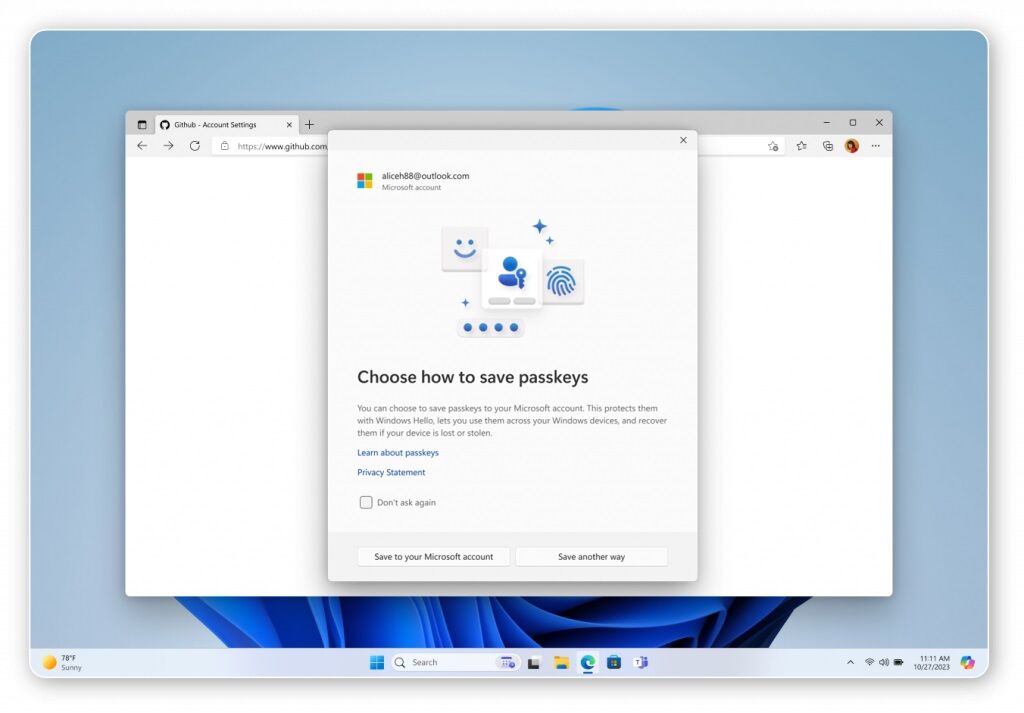
- Automatic Rollout: Microsoft will automatically enable passkey profiles across all Entra ID tenants starting March 2026.
- New Capabilities: The update introduces a passkeyType property that enables admins to configure device-bound passkeys, synced passkeys, or both.
- Administrator Action: Organizations that miss the opt-in window will have the new schema automatically enabled between early April 2026 and late May 2026.
Microsoft will automatically enable passkey profiles across all Entra ID tenants starting March 2026, giving administrators a narrow window to configure custom settings before defaults are applied.
The General Availability rollout begins in early March 2026 and is expected to complete by late March 2026, affecting all Microsoft Entra ID tenants worldwide. For organizations that miss the opt-in window, Microsoft will automatically enable the new schema between early April 2026 and late May 2026 for Worldwide deployments.
What’s Changing: New Capabilities
The update introduces a new passkeyType property that enables admins to configure device-bound passkeys, synced passkeys, or both. Synced passkeys have their private key securely stored in the passkey provider’s cloud and synchronized across the user’s devices, allowing seamless sign-ins without re-registering a passkey on each device.
Common examples of synced passkey providers include Apple iCloud Keychain and Google Password Manager. Beyond individual passkey types, the profiles introduce granular control to passkey management, allowing admins to create multiple passkey profiles with different rules and assign them to different groups.
Migration Details: How It Works
During automatic migration, existing Passkey (FIDO2) configurations will be moved into a Default passkey profile. The passkeyType value will be set based on current attestation settings: if enforce attestation is enabled, device-bound passkeys are allowed; if disabled, both device-bound and synced passkeys are allowed.
Existing key restrictions will remain intact during migration. Existing user targets will be assigned to the Default passkey profile.
Rollout Timeline: Phased Deployment
The rollout follows a staggered schedule across different deployment types. For government cloud environments, General Availability for GCC, GCC High, and DoD begins in early April 2026 and is expected to complete by late April 2026.
Tenants that miss the opt-in window face automatic enablement for non-opted tenants beginning early June 2026 and completing late June 2026 for these government environments.
Registration Campaign Changes
Building on these deployment timelines, Microsoft is also transforming how it prompts users to adopt passkeys. For tenants with synced passkeys enabled, Microsoft-managed registration campaigns will update to target passkeys instead of Microsoft Authenticator.
In Microsoft-managed campaigns, default user targeting will update from voice call or text message users to all multifactor authentication capable users. The settings for Limited number of snoozes and Days allowed to snooze will no longer be configurable and will be set to allow unlimited snoozes with a one-day reminder cadence.
This staggered timeline demonstrates Microsoft’s risk-averse approach to enterprise authentication changes. Commercial tenants receive a two-month head start to surface configuration failures and deployment challenges before the same changes touch government environments where authentication downtime triggers compliance investigations.
Security Context: Industry Perspective
Microsoft’s automatic enablement arrives amid mounting evidence of password vulnerabilities. Over 16 billion passwords have been leaked since the beginning of 2025, representing more compromised passwords than there are people on the planet.
Research demonstrates that 81% of data breaches result from weak or compromised passwords, while 92% of enterprises are drawn to the allure of a passwordless future. However, industry experts emphasize the strategic complexity of passwordless adoption.
“Passwordless authentication is the next emerging force in protecting digital identities. It is an evolutionary step toward better security, enhanced user experience, reduced costs, and improved functionality. However, its implementation will not happen overnight. Passwordless authentication requires an intricate strategy that focuses on addressing current technical challenges.”
Anant Wairagade, Senior Cybersecurity Engineer at ISACA (via ISACA)
Microsoft’s guidance acknowledges these complexities. Synced passkeys should be treated as phishing resistant credentials but with the same security posture as other unattested authenticators.
For high assurance scenarios, Microsoft recommends enforcing attestation and restricting registration to approved device-bound authenticators.
“When implemented effectively, passwordless authentication can reduce friction, strengthen security, and improve efficiency without reverting to the traditional password paradigm.”
Anant Wairagade, Senior Cybersecurity Engineer at ISACA (via ISACA)
The dual-path approach reflects enterprise reality. Organizations face competing pressures between security teams demanding hardened authentication and business units pushing for frictionless access.
This explains why Microsoft positioned synced passkeys as phishing-resistant yet unattested by default, acknowledging the tension between convenience and attestation rigor.
Administrator Actions: What to Do
In light of these security considerations, administrators have clear steps to take before automatic migration begins. Opting in early during public preview gives administrators full control to review and adjust the default passkey profile, passkey types, and registration campaign behaviour before automatic migration.
Organizations must be enrolled in Passkey profiles (preview) to enable synced passkeys. Administrators should note that if synced passkeys are disabled for a passkey profile, targeted users cannot sign-in with a synced passkey even if they already registered one.
The window to configure custom settings before automatic defaults are applied closes in early March 2026 for Worldwide tenants and early April 2026 for government cloud environments.